01 · Orders and the floor
Take the order, wherever it starts.
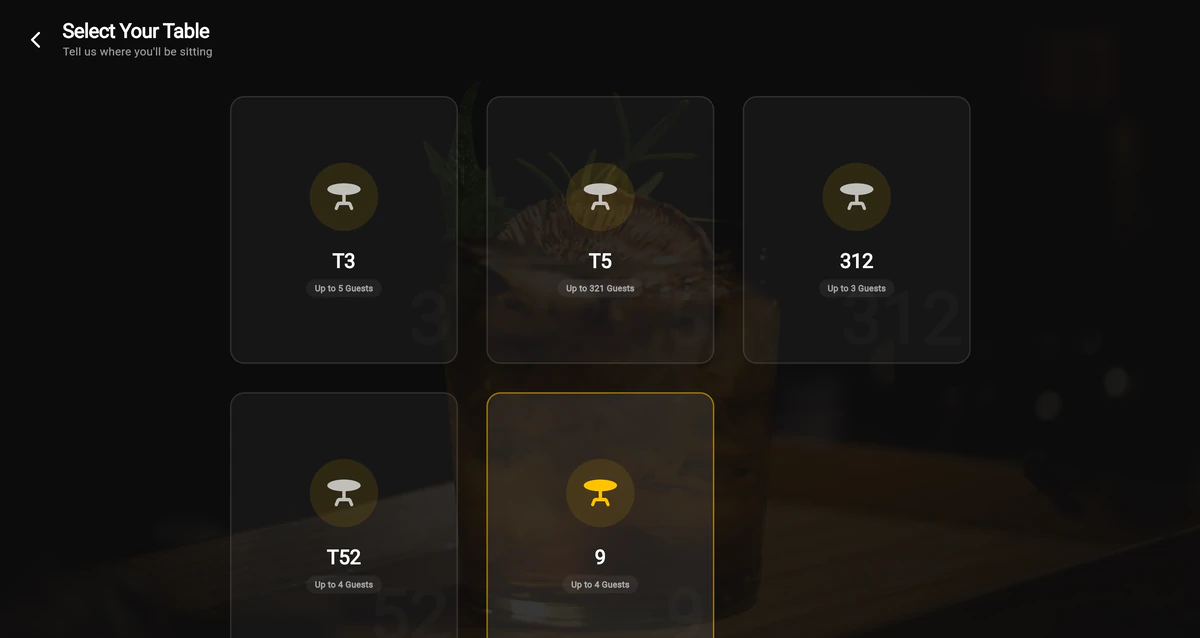
A waiter picks the table and sends the order. Same menu, same kitchen ticket, same bill, whether it came from the floor, a room, or a takeaway counter.


Built in Nepal · IRD CBMS billing inside
Orders, kitchen tickets, IRD billing, recipes, stock and vendors in one place. Switch on the self-service kiosk whenever you want it.
Orders, kitchen tickets, IRD billing, recipes, stock, purchases, vendors, tables, rooms and the kiosk. Guests pay with Fonepay, eSewa, Khalti or cash.
VAT worked out on every bill, automatically
ways guests can pay at the kiosk
separate database for every restaurant
extra books to keep for the tax office
The path of one order
An order enters at the table, the counter or the kiosk, and the same system carries it to the kitchen, onto the bill and out to the tax office. Here is every step it takes.
A guest chooses a dish on the kiosk, or a waiter taps it on the floor.
The order is validated and recorded against the table, room or takeaway.
A kitchen order ticket is created the moment the order is placed.
The printer agent on your kitchen machine sends it to your KOT printer.
The invoice is built with the tax already worked out, and a PDF comes with it.
The billing module prepares the CBMS payload and sends it to the IRD.
That took you two seconds. It takes your kitchen none.
Inside STS
Real screens from the software, unretouched. Scroll through the modules, tap any tab to look closer, and try the small demos along the way.
01 · Orders and the floor
A waiter picks the table and sends the order. Same menu, same kitchen ticket, same bill, whether it came from the floor, a room, or a takeaway counter.
02 · Kitchen
Every order becomes a kitchen ticket the moment it is placed. The printer agent on your kitchen machine takes it straight to your KOT printer. Status changes go back to the floor live, so nobody walks over to ask if table nine is ready.
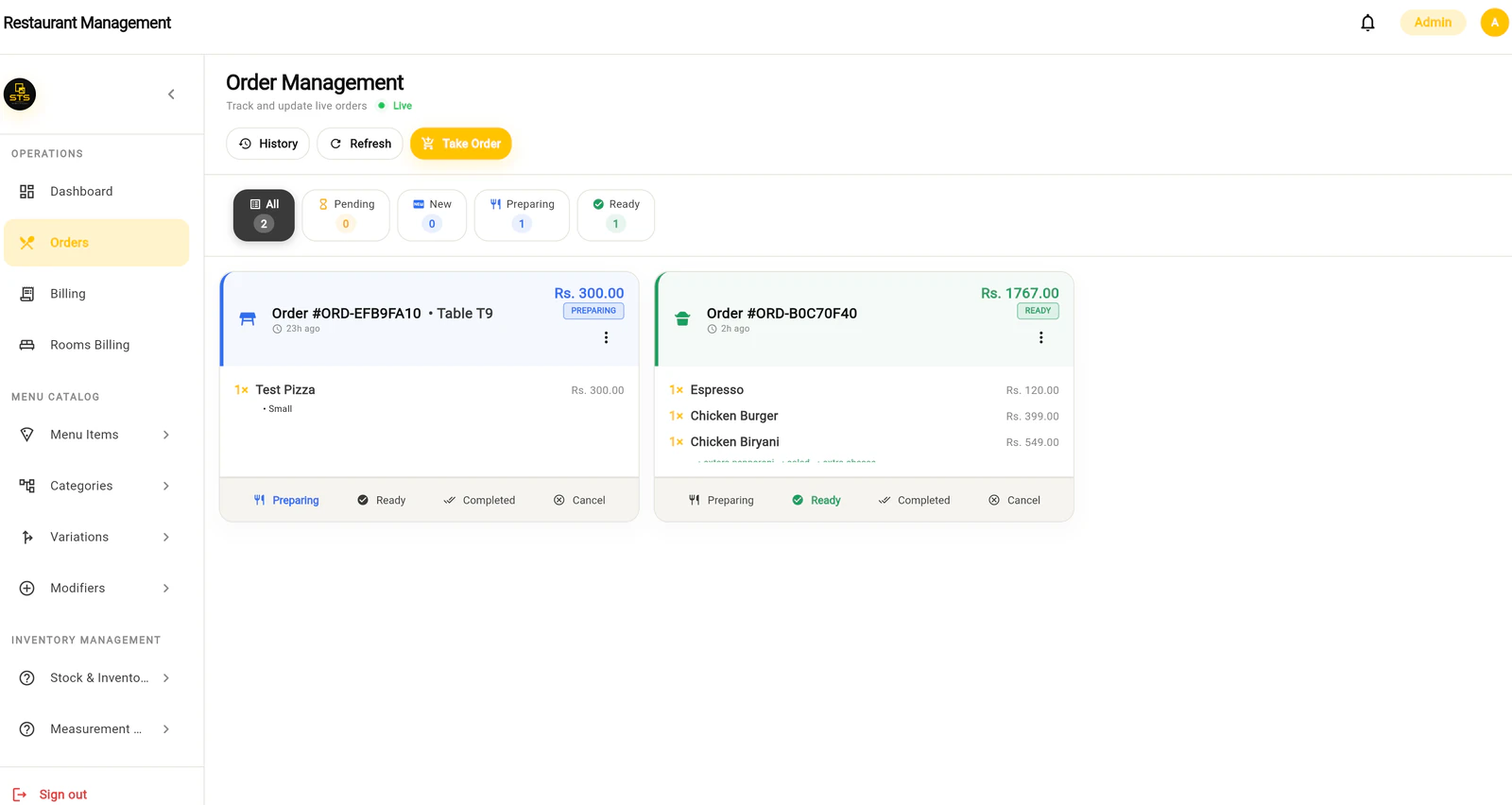
Live order status, pushed as it changes.
03 · Billing
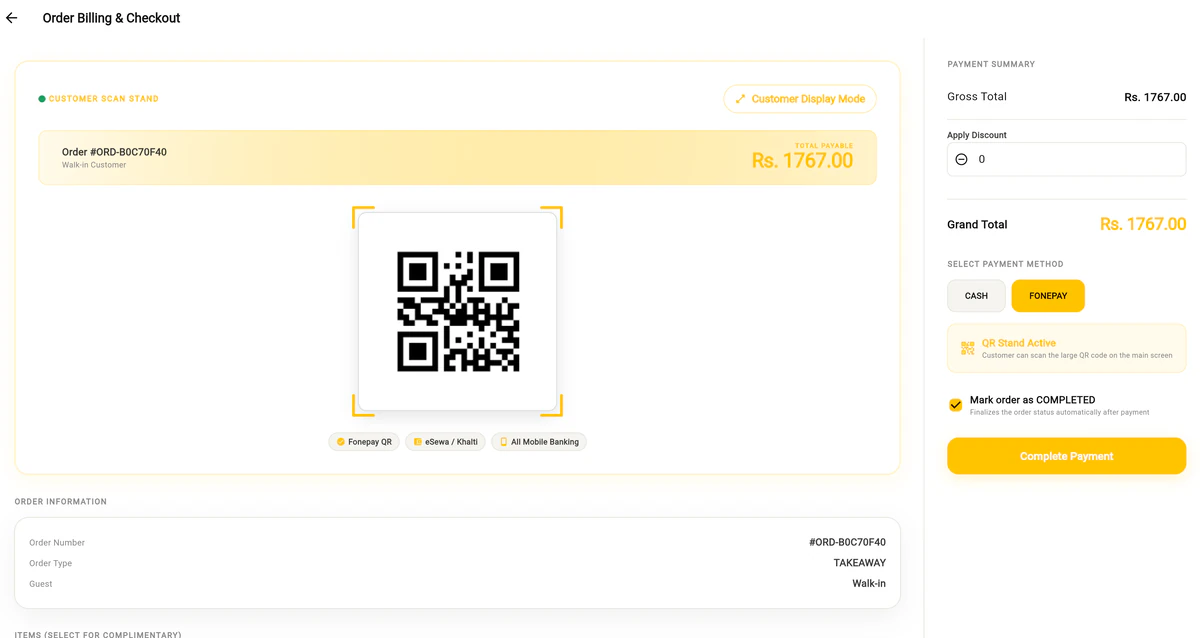
Nepal wants restaurant invoices reported to the Inland Revenue Department through CBMS. STS builds the invoice, works out the tax, prepares the CBMS payload and sends it. The PDF is generated by the system. You are not keeping a second set of books.
{
  "invoice_number": "STS-2084",
  "fiscal_year": "2083.084",
  "taxable_sales_vat": 1200.00,
  "vat": 156.00,
  "total_sales": 1356.00
}
04 · Inventory
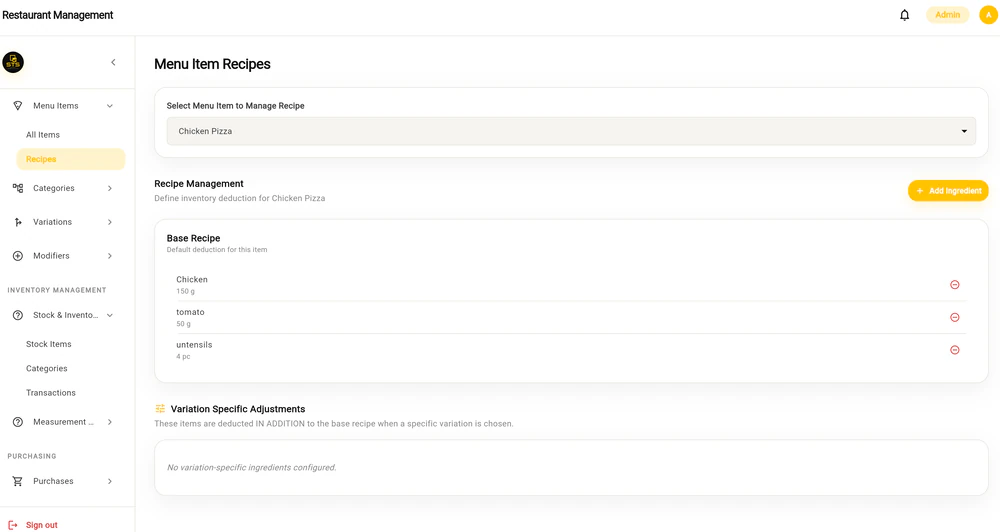
Stock moves when the kitchen moves, not when somebody remembers to write it down.
05 · Add-on module
The self-service kiosk is a module on the same system, not a separate product. Guests pick dine-in or takeaway, choose variations and add-ons, and pay with Fonepay, eSewa, Khalti or cash. The order lands in the same queue your waiters use and prints on the same kitchen printer.
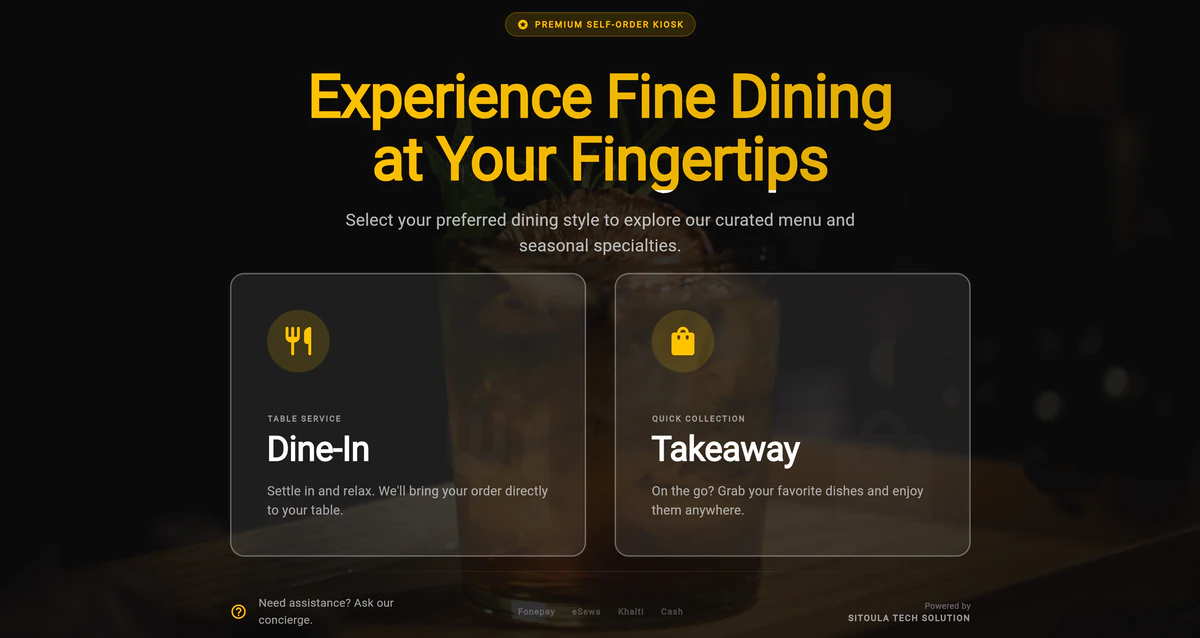
Accepted at the kiosk: Fonepay, eSewa, Khalti and cash.
Under it
Every restaurant on the system gets its own separate database. Two restaurants never see each other's data, and that separation is enforced by the database itself rather than trusted to the app. Sessions are signed and expire. Staff only reach the screens their role allows. Updates land on every screen the moment they happen.
Each request only ever reaches the restaurant it belongs to.
Desktop
Download it, run it, sign in. Or use any browser if you would rather not install anything.
Questions
Something else on your mind? Ask us directly.
Ask on WhatsAppNext
Send one message. We will set up a demo with your items, your tables and your tax settings, so you are looking at your restaurant and not a sample one.
On WhatsApp or by phone.
Your items, your tables, your tax settings.
Running on STS, not a sample one.
Or call +977 9862041915 · Sitoula Tech Solutions, Itahari